
The day after a wedding, the photos are everywhere. A few are in the family group chat, squashed and blurry. Some are in stories that disappear tomorrow. Most are still sitting on your guests’ phones, and in six months nobody will remember to send them.
Your photographer will deliver the ceremony, the portraits and the first dance. Your guests have everything else: the getting-ready, the cousins at table nine, the speech from the angle you never saw, the last song at two in the morning. Here is how to bring all of it home.
Start before the day, not after it
The easiest way to collect photos after a wedding is to set it up before. Guests share far more when they know where to share, and the moment they take a photo is the moment they are most likely to send it.
Choose one place for every photo and video, and tell guests about it from the start. Put it on the digital invitation, mention it in your welcome message and print it on the day. One place, not three. If half the guests use a shared folder and the other half a hashtag, you are back to chasing.
Pick a way that suits every guest
Your guest list runs from teenagers to grandparents, and some of them are flying in from other countries. Whatever you choose has to work for all of them without a lesson.
The usual options each have a catch:
- Group chats compress photos and videos, and the files get lost in hundreds of messages.
- Shared cloud folders often ask guests to sign in or install an app, and many simply won’t.
- Hashtags only collect what people post publicly, and many guests prefer not to.
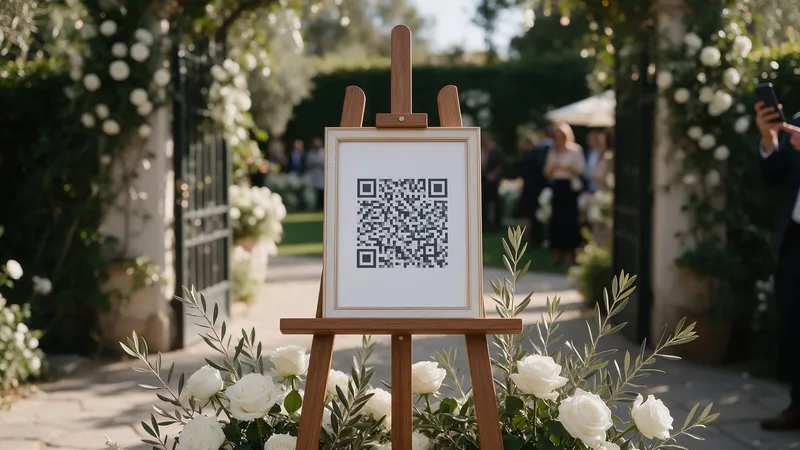
- A dedicated wedding album with a QR code opens in the phone’s browser, with no app and no account.
With MyWedi, guests scan your QR code or tap your link, type their name once and upload photos and videos straight into your album. Files keep their full quality on the Essential, Story and Signature plans, iPhone HEIC photos and long videos included. If the venue signal drops, the upload carries on once the phone is back online.
Make the QR code impossible to miss
On the day, people share when the code is right in front of them. Put it where they wait and where they sit:
- on every table, on a card at least A6 so it is easy to scan from a seat
- at the entrance to the ceremony and at the welcome drinks
- next to the guestbook, the bar and the dessert table
- on the order of service or the menu
Ask your DJ or host to mention it once, early in the evening. A single friendly announcement does more than any sign.
Give guests a reason to keep shooting
Most guests take a few photos and put the phone away. Photo challenges give them small missions, such as a selfie with the bride, three generations in one photo or the best move on the dance floor. A live photo wall on the venue screen helps too. When people see their own photo come up, they take more.
Follow up the morning after
Some guests save their photos for later, when they are home and on Wi-Fi. That is normal, so make it easy.
- Send the album link to everyone the day after, with a short thank-you.
- Remind guests who travelled home that they can still add what they took.
- Ask close family and the wedding party directly. They usually have the best behind-the-scenes shots.
On MyWedi guests can keep adding photos for 30 days after the day, on every plan, so nobody is rushed.
Keep everything safe
Once the photos are in, take them home. From Essential you can download everything as one ZIP, in the quality your guests shot them. Keep two copies, one on your computer and one on an external drive or a cloud service you trust. Your event stays online for three months, or longer if you extend it, and we remind you before it ends.
Written and voice wishes are worth keeping too. On Story and Signature the wishbook gathers them in one PDF to print.
A simple checklist
- Choose one place for every photo and video
- Add it to the invitation and the welcome message
- Print the QR code for every table and the entrance
- Ask the DJ or host to announce it once
- Add a few photo challenges
- Send the album link the morning after
- Download everything and keep two copies
Ready to try?
You can set up your event and preview it before you pay. Open the demo wedding to see the guest side, read more about MyWedi for weddings or compare the plans.