

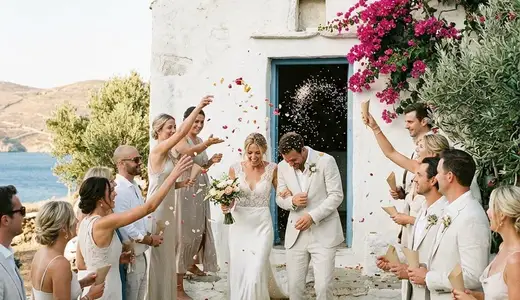


Features · Signature

Highlight video of your day

A short video of your event made from the photos and clips your guests shared. Watch the day again in a few minutes, and send it to everyone who was there.

The whole day, in a few minutes

After a big event you have hundreds of photos and videos from every table. Going through them takes evenings. The highlight video turns your guests’ moments into one short film you can watch on the sofa the next day, or send to the grandparents who went home early.

The highlight video is included in the Signature plan.

Where it comes from

Your guests make it, without knowing. Every photo and video they share through the QR code or the feed is material for the video. The more they share, the richer it gets, so photo challenges and stories help.

Anything you have hidden or removed in moderation stays out of it.

How hosts use it

Create the highlight video from the hosts’ dashboard once the party is over. Watch it, share the link with your guests, or download it with the rest of your files when you download everything.

It does not replace your videographer. It shows the day from where your guests stood: the tables, the dance floor, the friends and family in between the big moments.

Tips

  • Remind guests to shoot a few short videos as well as photos. Ten seconds is plenty.
  • Ask the best man or the maid of honour to film the moments you will miss, such as your entrance.
  • Share the video with guests while the day is still fresh, then again on your first anniversary.

Signature also includes voice wishes, unlimited co-hosts and no MyWedi branding. See pricing.
How it works

From QR code to a full album in four steps

  1. 01

    Create your event and invitation

    Choose the occasion, add your names, the date, the venue and the schedule of the day, and pick a theme. It takes a few minutes, and you can preview it before you pay. Guests can open it once you choose a plan.

  2. 02

    Share the link or QR code

    Send the link in a message or a WhatsApp group, or print the QR code on invitations, table cards or a sign. Guests open it in their browser. No app, no account.

  3. 03

    Guests RSVP, post and add photos

    Before the day, guests RSVP with their meal choice. On the day, they post photos, videos and wishes to the private feed, in full quality, and new photos can appear on the live wall.

  4. 04

    Keep everything

    After the day, the album stays online for the months of your plan. Download every photo and video as a ZIP and keep the wishbook with every wish as a PDF.

See a demo

See it as a guest

Open a real event, the way your guests will. Post, vote, ask for a song. It all resets every night.

Create your event

Your day, before, during and after

One page for the invitation, the RSVP, the photos and every wish. Guests need no app, only their name. Set it up in five minutes.

Set it up and preview it first. Pay when you are ready to invite your guests.